Toolbox Talk Document Generator

Instantly Create Your Toolbox Talk document, Just enter your details

Digital Wellbeing and Screen Fatigue Toolbox Talk

Use our toolbox talk generator to create customised workplace safety documents. Learn more about Digital Wellbeing and Screen Fatigue Toolbox Talk Template below
Signature Limits Increased for Free Users

Due to increased demand and interest in our digital signatures and sign-off reports feature, we've increased the signature limit from 20 to 100 per shared document for free registered users. This gives you much more flexibility to share your documents, collect digital signatures from team members, stakeholders, and create comprehensive sign-off reports. Try it now!

Company:
Issue:
Approved:
Ver:

Loading Document Generator...

Please wait while we prepare your workspace

Go Digital with Electronic Signatures: Once you've saved your document, visit My Documents to create a secure share link. Distribute it across any platform (WhatsApp, Email, SMS) to collect encrypted digital signatures from your workforce and generate professional sign-off reports.

loading...

PLEASE WAIT DO NOT CLOSE THIS PAGE
YOUR DOCUMENT IS BEING GENERATED
Still Using Paper Sign-Off Sheets?

Once you've generated and saved your document, create a secure share link to distribute across any platform. Collect encrypted digital signatures from your team and generate professional sign-off reports.

Generate
Save
Share
Sign
Report
Try It Free

Testing with increased limits

Toolbox Talk Description:

Digital Wellbeing & Screen Fatigue Toolbox Talk: Protect Your Eyes and Productivity

The Digital Wellbeing & Screen Fatigue Toolbox Talk from Health & Safety Zone offers essential guidance on managing screen time, reducing eye strain, and maintaining posture. Ideal for office environments, this toolbox talk helps workers understand how to prevent visual fatigue and comply with UK health and safety regulations.

Why Is Screen Fatigue Important?

Protects Workers: Prolonged screen use can cause eye strain, musculoskeletal disorders, and reduced concentration, increasing accident risk.

Improves Productivity: Regular breaks and ergonomic setups boost focus and efficiency.

Compliance with Regulations: The Health and Safety (Display Screen Equipment) Regulations 1992 require employers to assess risks and implement controls.

Key Benefits of the Toolbox Talk

Hazard Awareness: Highlights visual fatigue, posture issues, and mental stress associated with excessive screen time.

Control Measures: Recommends break schedules, ergonomic adjustments, lighting, and anti‑glare solutions.

Emergency Response: Encourages reporting of discomfort early to prevent long‑term injury.

Customisable for Any Workplace: Easily edit to reflect specific company policies and risk assessments.

Regulatory Compliance: Aligns with UK health and safety laws, helping organisations avoid enforcement action.

Simplifying Toolbox Talk Creation with Our Online Generator

Health & Safety Zone’s online document generator lets you tailor this toolbox talk to your workplace’s unique hazards and safety goals.

Promoting a Proactive Safety Culture

Encourages Accountability: Reinforces individual responsibility for maintaining eye health and ergonomics.

Supports Continuous Improvement: Enables organisations to learn from incidents and refine safety measures.

Useful Resources and Links

HSE – Working safely with display screen equipment

HSE – Break guidance for VDU users

HSE – Ill‑health data on screen fatigue and musculoskeletal disorders

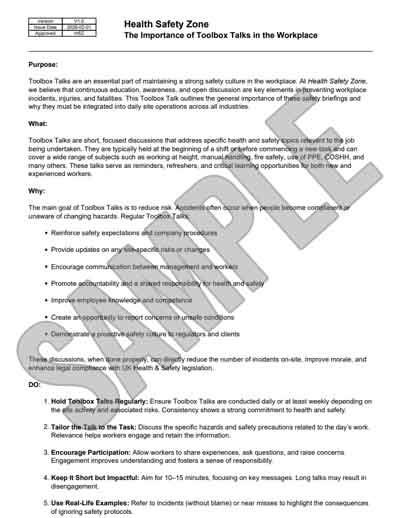
Sample PDF Document Image:
Frequently Asked Questions: