Toolbox Talk Document Creator

Instantly Create Your Toolbox Talk document, Just enter your details

Crush Prevention and Capacity Management Toolbox Talk

Use our toolbox talk creator tool to create customised workplace safety documents. Learn more about Crush Prevention and Capacity Management Toolbox Talk Template below
Company:
Issue:
Approved:
Ver:
Guest

Loading Document Creator

Please wait while we prepare your workspace

Edit and customise your document

Logo, Branding & Sign-off

Company brandingStandard+

Upgrade to add your company logo and brand colours, and customise how your documents look.Available on our Standard and Pro plans.

Add my branding →

Approved by

Sign to confirm you have approved this document

Review & Export

Your document is ready. Register free to download your PDF — it opens in a new tab and signs you in here automatically, so don't refresh or leave this page.

Export

Preview document
See exactly how it looks before downloading.
Download PDF .PDF
Register a free account to download — takes seconds, your document stays right here.
Download Word .DOCX Standard & Pro
An editable Word (.docx) version — upgrade to unlock.

Save & share

Save to account Not saved
Sign in to save and manage your documents.
Manage document
Sign in to manage, edit and re-export this document.
Save first, then manage, edit and re-export it here.
Manage, edit and re-export your saved document.
Create a RAMS pack
Sign in to bundle saved documents into a pack.
Save first, then merge saved documents into one pack.
Merge saved documents into one cover + contents pack.
Sign in Create
Share & collect sign-offs
Create a free account to share and collect sign-offs.
Save first, then send a secure link for your team to sign.
Send a secure link — your team reads & signs to confirm.

How sharing & packs work

Collecting sign-offs

All plans

Turn a saved document into proof of a briefed workforce — send a secure link and your team signs to confirm they've read and understood it.

  • Secure share links
  • Collect e-signatures
  • No account to sign
  • Compliance audit trail
  • QR signage posters
  • PDF proof report

Shared pages carry Health & Safety Zone branding — upgrade to Standard/Pro to use your own logo & colours.

RAMS packs (Site Packs)

All plans

Bundle multiple saved documents into a single deliverable pack — a cover page + table of contents + all member document PDFs merged into one professional export.

  • Cover page + table of contents
  • All member PDFs merged into one
  • Share via one secure link
  • Recipients sign once for the whole pack

Share the pack with a customer or workforce — recipients review each document and sign once to acknowledge receipt of the entire pack.

loading...

PLEASE WAIT DO NOT CLOSE THIS PAGE
YOUR DOCUMENT IS BEING GENERATED

Important: The documents produced by this tool are templates only. They must be reviewed and approved by a competent person or your HSEQ representative prior to publication or circulation, in accordance with our Terms & Conditions.

Still Using Paper Sign-Off Sheets?

Once you've generated and saved your document, create a secure share link to distribute across any platform. Collect encrypted digital signatures from your team and generate professional sign-off reports.

Generate
Save
Share
Sign
Report
Try It Free

Increased Limits Available

Toolbox Talk Description:

This crush prevention and capacity management toolbox talk template from Health & Safety Zone provides a comprehensive safety briefing for venue owners, event organisers and security teams handling large crowds. It covers how to calculate legal occupancy, install BS EN 13320 crowd barriers, use BS EN 14960 safety signage, monitor real‑time crowd density and maintain clear egress routes. The guide highlights hazards such as pressure waves, barrier collapse and trampling, and offers practical step‑by‑step actions to prevent crush injuries. Suitable for stadiums, concert halls, festivals, fairs, theme parks and transport hubs where crowd density can become hazardous. Fully editable – customise with site‑specific data, add local emergency contacts and adjust capacity figures as needed. The template also details record‑keeping requirements, incident reporting procedures and post‑event review processes to ensure continuous improvement. By following this guidance, organisations demonstrate compliance with the Health and Safety at Work Act 1974, Workplace (Health, Safety and Welfare) Regulations 1992, Management of Health and Safety at Work Regulations 1999 and Public Entertainment (Safety) Regulations 2020, helping to protect lives and avoid costly legal action. It also supports compliance audits, can be integrated with incident management software, includes a quick‑reference checklist, and helps demonstrate continuous improvement aligned with industry best practice guidelines. For detailed guidance see HSE INDG142 guidance and the Public Entertainment (Safety) Regulations 2020.

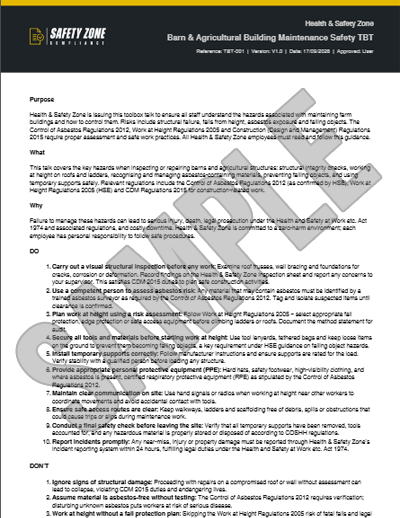
Sample PDF Document Image: